Houdini Production Tools
You will find on this page some tools I created with Houdini to help speed up some of the processes during the production at Gameloft.
- Vertexcount Heatmap tool
- Weapon Effect set-up
- Foliage Vertex Color Tool
- Destruction Pipeline
____________________
Vertexcount Heatmap tool
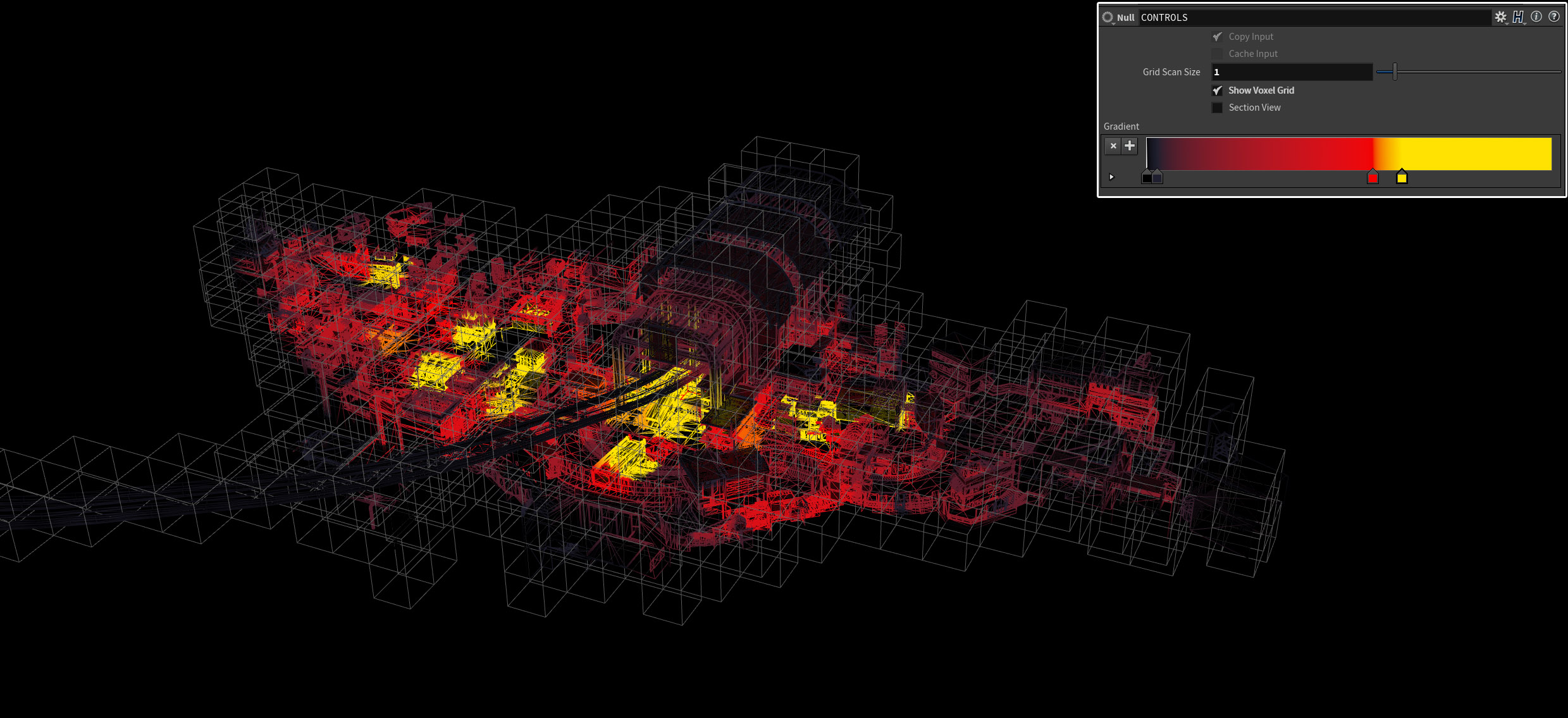
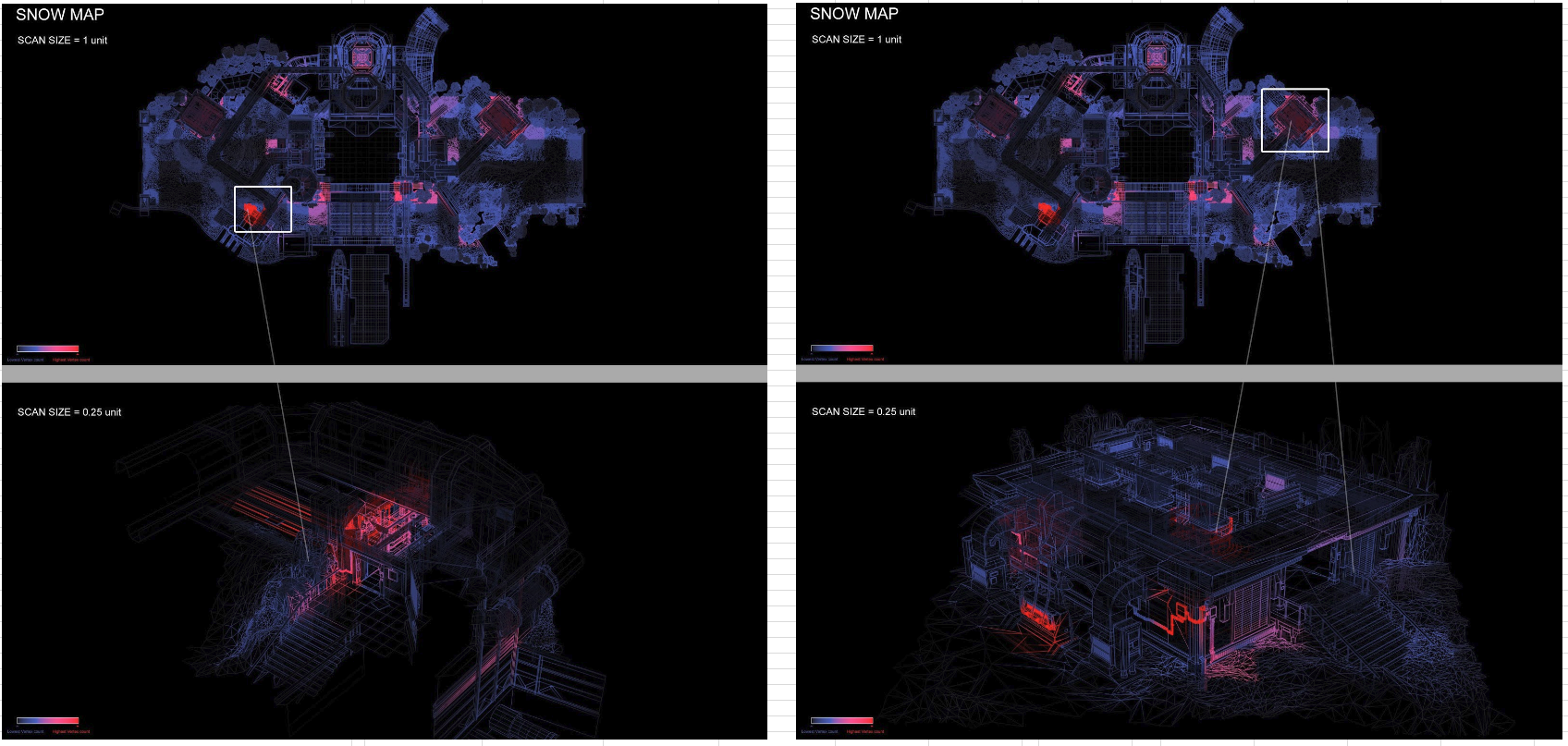
This simple tool was made to help the optmization process of the large meshes (Game Levels in our case). It divides the space into voxel, and will highlight the area with the highest vertex count. This was very useful for artists during the optimization process. Ideally, this tool can be upgraded to visualize Materials ID, Uv complexity, ...It could even be set up to automatically generate some pictures to reviews...
____________________
Weapon Effect set-up
This tool was made to help creating meshes that will work with a specific VFX shader made by Alejandro Martinez. It also serve the purpose of taking a game ready mesh with a multiple parts and converting it to a stylized triangulated version.
This tool write the position of each face center on the UVs (XYZ Position, on UV0 and UV1), a time offset for the apparition (UV2), and a random rotation (UV3)...The tool was original made in maxscript, but recreating it in Houdini was quick, and allowed us do to more. It was then modified and pushed way farther to Alejandro to support skinned meshes.


____________________
Foliage Vertex Color Tool
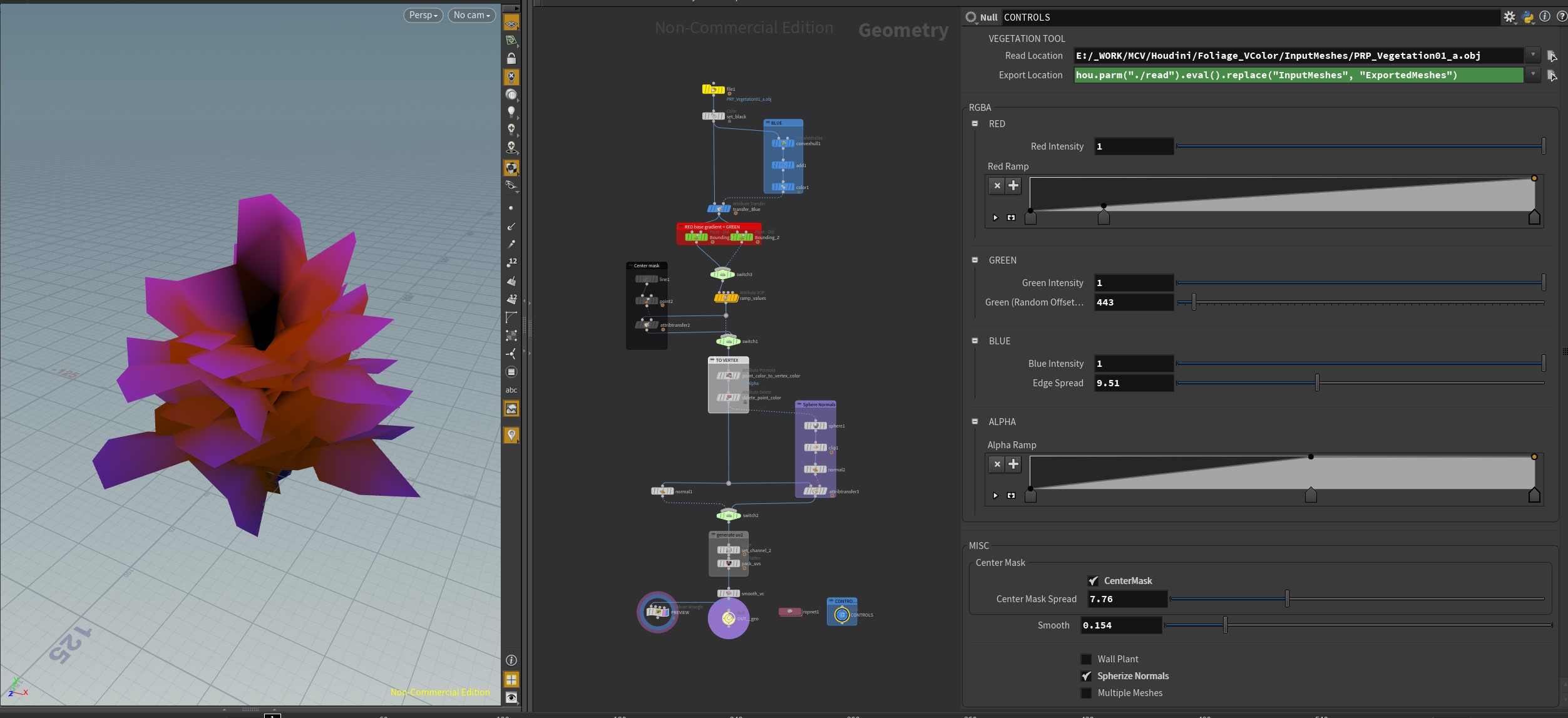
One task I add on the project was to add vertex color to a lot of models ( around 30 models of plants), I decided to create a Houdini tool to speed up the process since it was really slow (around 15/20 min per mesh).
The tool make the vertex coloring of the plant quick and easy with a lot of controls, it also will color only the ends of the leaves with a specific color, which is actually the most time consuming part.
With the tool I was able to color one plant in 20 seconds...So in the end this tool was defintely a time saver !

____________________
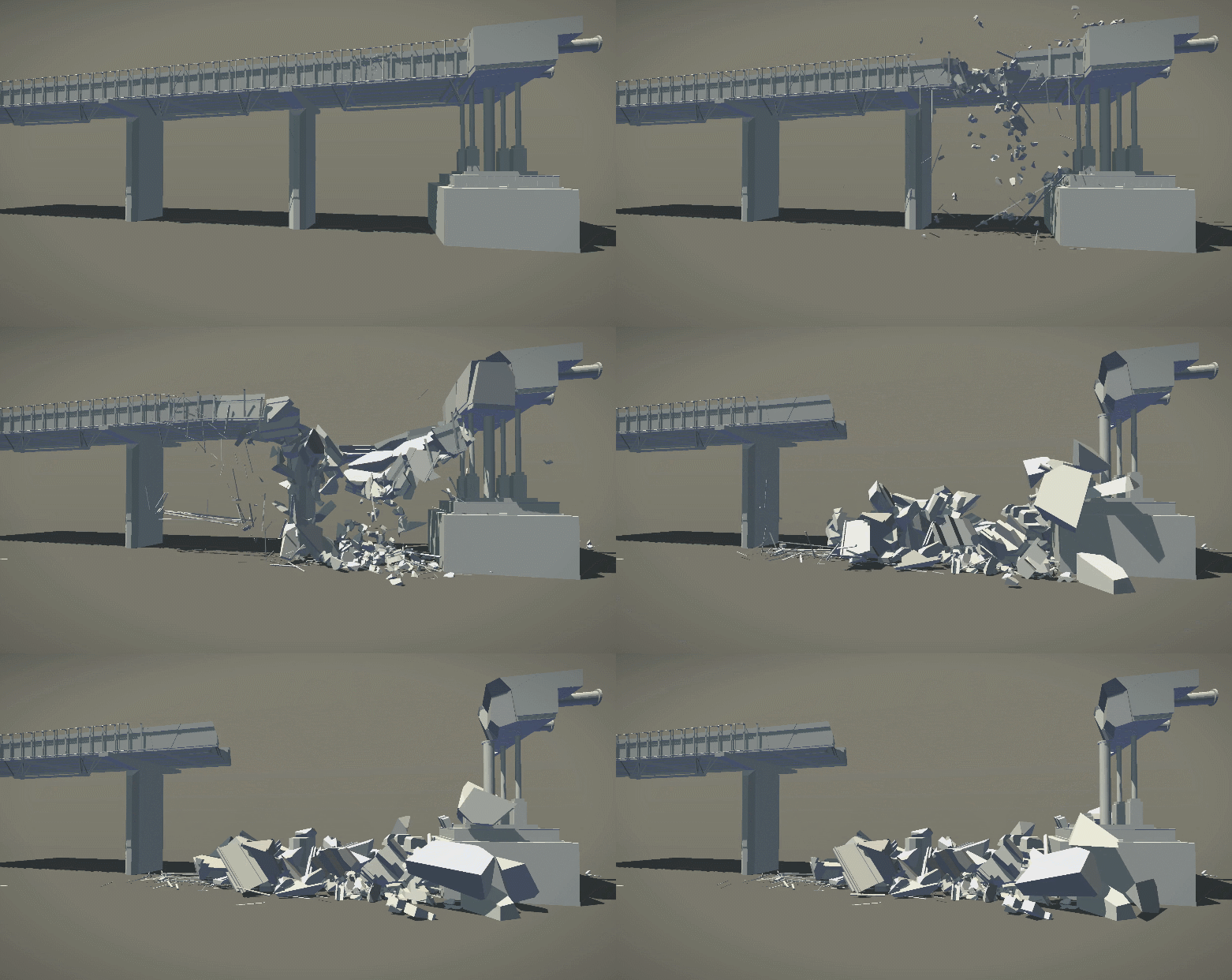
Destruction Pipeline
The last project I worked was going to be heavily relient on Destruction. We workded with Alejandro Martinez to make this possible. Alejandro created a wonderful shader that allowed us to play really smooth vertex animation texture on mobile, I took care of the actual destruction. On this production the plan was to destroy a lot of similar buildings, I created some generic destruction node for artists as well as the overall destruction pipeline (Mesh setup and cleanup in 3ds max and naming convention, Unified fracturing process, Unified constraint setup, Unified Simulation setup).